
Cronofy Review: Scheduling Infrastructure for Products and Teams 2026
 Mar 31,2026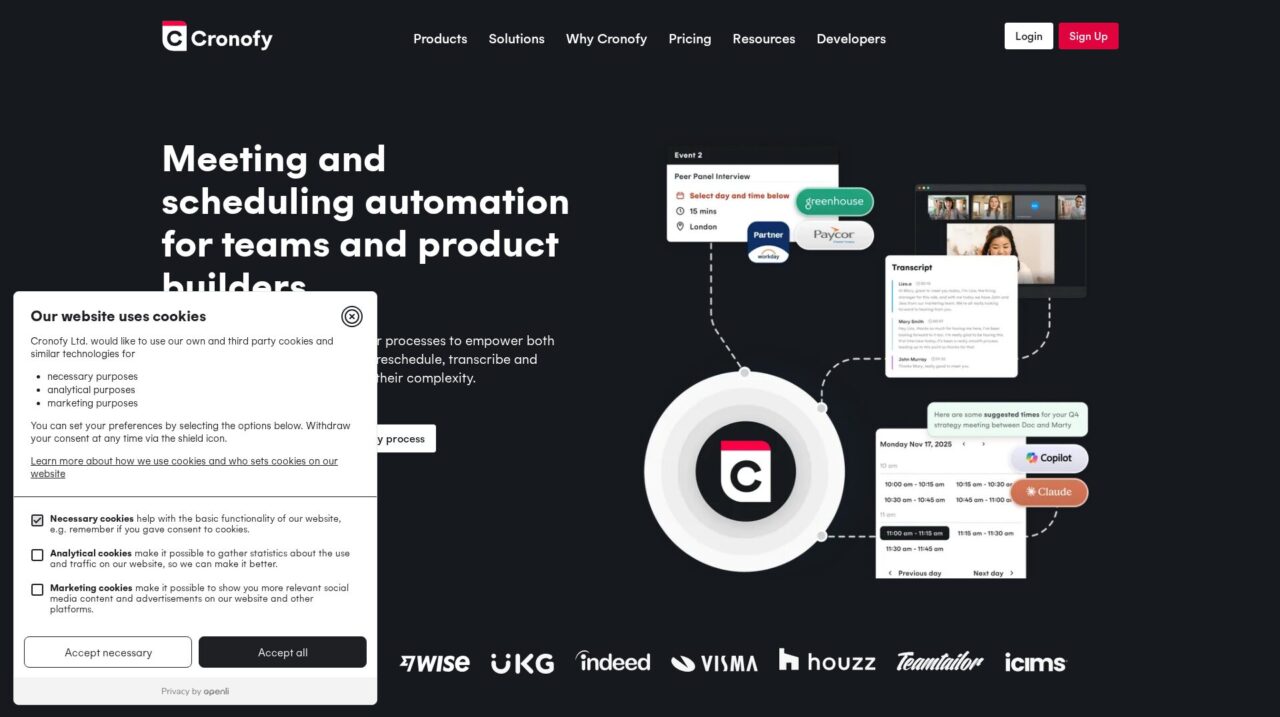

Cronofy is a scheduling and calendar integration platform built for product teams and operations leaders who need robust, secure, and deeply embedded meeting automation.
After analyzing Cronofy across real-world use cases, technical capabilities, and customer examples, this review pulls together what you really need to know before adopting it as your scheduling infrastructure. The goal here is not to repeat marketing claims but to evaluate how Cronofy performs for product teams and operations leaders who rely on meetings to move work forward.
If you are still exploring the broader ecosystem, it can help to compare Cronofy with other options in the wider meeting and appointment scheduling tools category on CX Everywhere before you decide. Once you understand where it sits in that landscape, the rest of this review will make more sense.
Cronofy is widely used by SaaS platforms, HR tech vendors, and enterprises that embed scheduling directly into products or mission-critical workflows. Even if you have heard of it through case studies or partner integrations, it is not always obvious how it differs from regular calendar booking tools or what tradeoffs you are making by choosing it.
In this review you will learn Cronofy’s main strengths and weaknesses, how its core features work in practice, and which types of organizations are likely to get the most value from it. The focus is on teams building products, running high-volume recruiting or healthcare scheduling, or orchestrating complex internal workflows where calendar automation has to be both reliable and secure.
At a high level, Cronofy connects to users’ calendars, exposes real-time availability, and automates meeting scheduling, rescheduling, and follow-up, all while fitting into existing tools and processes. Product teams can embed that experience directly into their apps, while operations teams can use integrations and AI agents to remove manual calendar work from day-to-day tasks.
Cronofy Review Summary
Cronofy stands out as a serious scheduling infrastructure platform rather than another lightweight booking tool. Its strengths lie in deep calendar connectivity, flexible APIs and embeddable components, and a compliance posture that satisfies demanding IT and security teams. For companies where scheduling is business-critical, especially in recruitment, healthcare, and enterprise workflows, that combination is compelling.
The tradeoff is that Cronofy is not optimized as a simple self-serve tool for individuals; it assumes you have at least some technical capability and a desire to design your own scheduling experiences. For organizations that meet that bar, Cronofy offers a reliable, scalable foundation for automating complex meeting workflows and keeping those experiences exactly where users already work.
How We Review Tools and Assign the CX Score
We've developed a comprehensive scoring system to evaluate software tools objectively. Our CX Score (1.0–5.0) reflects how strong a product is within its category, based on hands-on testing and analysis across multiple criteria.
Core Functionality
Does the tool deliver the essential features users expect? We assess whether core capabilities meet category standards and if key features are accessible across pricing tiers.
Standout Features
We evaluate unique capabilities that go beyond the basics—features that make the product faster, more efficient, or offer additional value compared to competitors.
Ease of Use
How intuitive is the interface? We consider design quality, mobile apps, templates, and whether complex tasks feel simple to execute.
Onboarding
We measure how quickly new users can get productive with minimal training. High-scoring tools require little to no external support to get started.
Integrations
We assess native integrations, third-party connections, and API access. Tools that connect easily with common tech stacks score higher.
Customer Support
How easy is it to get help? We evaluate support channels, response times, and quality of documentation. Real-time human support scores best.
Value for Money
We compare pricing against features delivered. Software that offers more functionality at competitive prices receives higher marks.
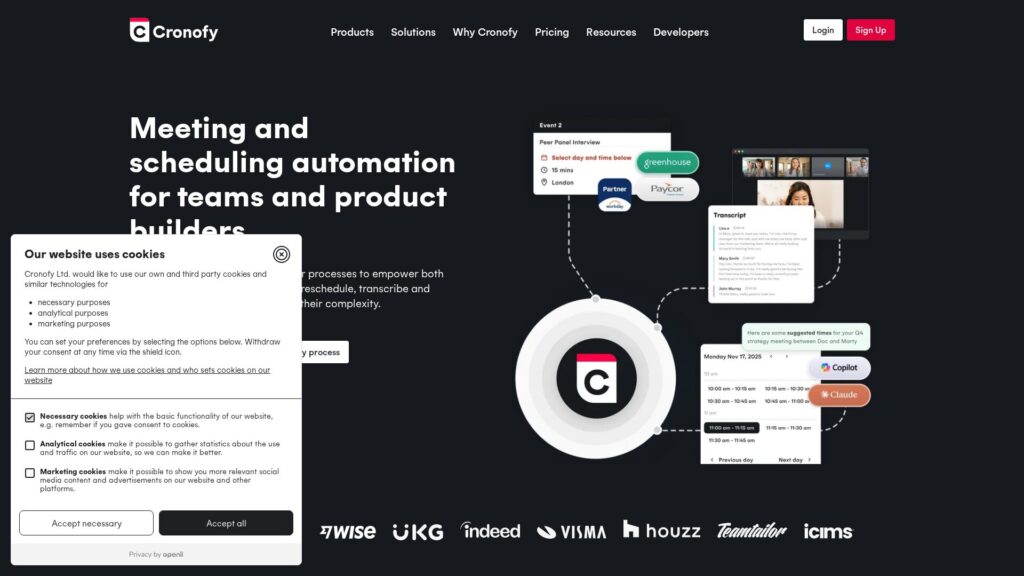
Features of Cronofy
- Real-time calendar sync
- Multi-participant scheduling
- Timezone handling and detection
- Rescheduling and cancellation workflows
- Embeddable booking components
- Developer REST API
- Webhooks for event updates
- AI-generated meeting summaries
- Video conferencing link auto-generation
- Email and reminder notifications
- Workday integration
- Greenhouse integration
- HubSpot integration
- Zendesk integration
- Support for AI agents
- GDPR compliance
- HIPAA-ready features
- SOC 2 aligned controls
- ISO-aligned security practices
- Single sign-on support
- Role-based access control
- Audit logs
- Multi-tenant SaaS deployment
- On-premise deployment
- Mobile end-user experience via integrated tools
- Self-service personal booking pages
Real-Time Calendar Connectivity and Availability
Cronofy’s foundational feature is robust two-way calendar connectivity that surfaces real-time availability across multiple participants. It connects to major calendar systems and abstracts away their quirks, allowing your product or workflow to request open slots and create or modify events without wrestling with each provider’s API.
In practice, this means you can support complex scenarios like panel interviews, cross-team meetings, or rotating on-call schedules while avoiding double bookings and timezone mishaps. Compared with standard booking tools that operate on static availability rules, Cronofy’s live calendar view makes it far better suited for dynamic, high-volume environments.
Embedded Scheduling Experiences Inside Your Product
Cronofy offers embeddable components that you can drop into your product to provide scheduling experiences without building every UI element from scratch. These components can present time slot selection, handle rescheduling, and manage confirmations while still feeling native to your application through branding and layout control.
This approach lets product teams get to market quickly while keeping users inside the core product experience, rather than sending them out to a separate scheduling page. It is a significant improvement over generic links when you need scheduling to be part of a cohesive, branded workflow.
API-First Scheduling Infrastructure for Developers
For teams that want full control, Cronofy exposes a comprehensive API for managing availability, bookings, and meeting metadata. You can implement custom routing logic, complex participant rules, integration with your own permissions models, and detailed event handling around cancellations and no-shows.
Compared with many scheduling apps that expose limited APIs as an afterthought, Cronofy is built API-first. This makes it a stronger building block for SaaS vendors and internal platforms where scheduling is a core part of the value proposition, not a bolted-on convenience.
Meeting Effectiveness: Conferencing, Reminders, and Summaries
Beyond simply reserving time on a calendar, Cronofy can auto-provision video conferencing links, send reminders, and manage notifications around upcoming and changed meetings. This reduces manual setup for users and helps keep no-show rates lower by ensuring participants have all the information they need.
Newer capabilities around recordings, transcripts, and AI-generated summaries extend Cronofy’s role into post-meeting intelligence. For workflows like recruiting or customer success, this allows products to capture what happened in a meeting and feed that back into pipelines, notes, or records automatically.
Workflow Automation Across Enterprise Tools
Cronofy integrates with enterprise platforms such as Workday, Paycor, Greenhouse, HubSpot, and others so that scheduling becomes a native part of those systems’ workflows. For example, interview scheduling can be triggered from an ATS stage change, or customer calls can be booked directly from a CRM record.
This reduces context-switching and manual data entry, which are common sources of friction and error in high-volume scheduling operations. Compared with standalone schedulers that live off to the side, Cronofy’s workflow orientation helps teams actually automate the process rather than just speed up individual bookings.
Security, Compliance, and Data Protection
Cronofy is built for environments where calendar data is highly sensitive, such as recruitment pipelines and healthcare appointments. It offers GDPR alignment and is built to meet HIPAA, SOC 2, and ISO expectations, providing strong data access controls, auditability, and clear privacy boundaries.
This security posture is a key feature in its own right, since it helps vendors and enterprises pass IT and compliance reviews without having to build their own secure scheduling stack. Many lightweight scheduling tools simply are not designed with these requirements in mind.
Support for AI Agents and Automation Use Cases
A newer but important aspect of Cronofy is its support for AI agents that can schedule and manage meetings on behalf of users. By providing controlled access to availability and booking actions, Cronofy lets teams integrate tools like Microsoft Copilot or Claude into scheduling workflows without exposing raw calendar data unnecessarily.
This is especially relevant for organizations that are starting to delegate more operational work to AI assistants. Rather than teaching an agent to deal directly with every calendar provider’s API, Cronofy offers a common layer that simplifies the interaction and keeps security controls in one place.
Cronofy’s ease of use depends on who you are. For end users, once your product team has embedded Cronofy, the experience is straightforward: they see available times in the tools they already use, can book or reschedule with a few clicks, and receive clear confirmations and reminders. There is no need for them to understand that Cronofy is running behind the scenes.
For administrators and developers, the platform is more involved, as you would expect from infrastructure. Implementation requires connecting calendars, defining rules, and integrating via API or embeddable components. The advantage is that Cronofy handles many hidden edge cases like timezones and rescheduling links, but you still need to design how scheduling fits into your workflows. Teams with some technical capacity will find the learning curve reasonable; non-technical teams looking for a plug-and-play app may find it comparatively heavier.
Cronofy is built around integrations, both at the calendar level and the workflow level. It connects to major calendar systems to provide real-time availability and event management, abstracting away provider-specific quirks so your product or processes can rely on a consistent interface. On top of that, it integrates with enterprise platforms such as Workday, Paycor, Greenhouse, HubSpot, and customer support tools like Zendesk to make scheduling a native part of HR, recruiting, sales, and support workflows.
For teams building their own software, Cronofy’s API serves as the primary integration surface, allowing you to plug scheduling into any stack or architecture you choose. If integrations are critical to your use case, it is worth confirming that your core calendar systems and business apps are supported in the latest Cronofy documentation, and assessing whether you will rely more on native connectors or custom API work.
Cronofy Overview
Pros
- Deep API-first design ideal for embedding scheduling into products and platforms
- Handles complex multi-participant, multi-timezone meeting workflows reliably
- Strong security and compliance posture with GDPR, HIPAA, SOC 2 and ISO focus
- Embeddable components allow faster time-to-market without full custom UI
- Works well with enterprise tools like Workday, Greenhouse, HubSpot and Zendesk
- Supports AI agents plus meeting transcripts and summaries for modern workflows
- Keeps scheduling within core tools, improving adoption and reducing drop-off
- Proven scalability with over a billion events and 180,000+ companies using it
Cons
- Requires engineering effort to integrate and fully leverage the platform
- Can be overkill for simple personal or low-volume scheduling needs
- Less suited to non-technical teams seeking a turnkey self-serve booking app
- Complex feature set may introduce a steeper initial learning curve for admins
Cronofy: Frequently Asked Questions
What type of companies get the most value from Cronofy?
Cronofy is best for SaaS vendors, HR and recruiting platforms, healthcare applications, and larger operations teams that need reliable, embedded scheduling across many users and complex workflows.
Is Cronofy suitable for individual professionals or small teams?
It can be used by smaller teams, but its strengths and complexity are oriented toward product builders and enterprises, so simple personal scheduling tools may be a better fit for solo users.
How difficult is it to implement Cronofy?
End users see a simple booking experience, but admins and developers need to configure calendar connections and integrate via API or embeddable components, so some technical effort is required.
Can Cronofy handle multi-participant and multi-timezone meetings?
Yes, Cronofy is specifically designed to manage complex multi-participant workflows and timezone edge cases, which is why it is popular for interview scheduling and global teams.
Does Cronofy support secure and compliant use in regulated industries?
Cronofy is built with security and compliance in mind, including GDPR alignment and support for HIPAA, SOC 2, and ISO-level expectations, making it suitable for recruitment and healthcare use cases.
How does Cronofy work with AI agents?
Cronofy exposes controlled interfaces that allow AI agents like Microsoft Copilot or Claude to access availability and book meetings on behalf of users without exposing full calendar data, enabling safe automation.
Is Cronofy a standalone scheduling app or infrastructure?
Cronofy is primarily scheduling infrastructure with APIs and components that you integrate into products and workflows, rather than a simple standalone app for ad hoc personal scheduling.
