
Loxo Review: Talent Intelligence ATS & CRM Platform for Recruiters
 Mar 22,2026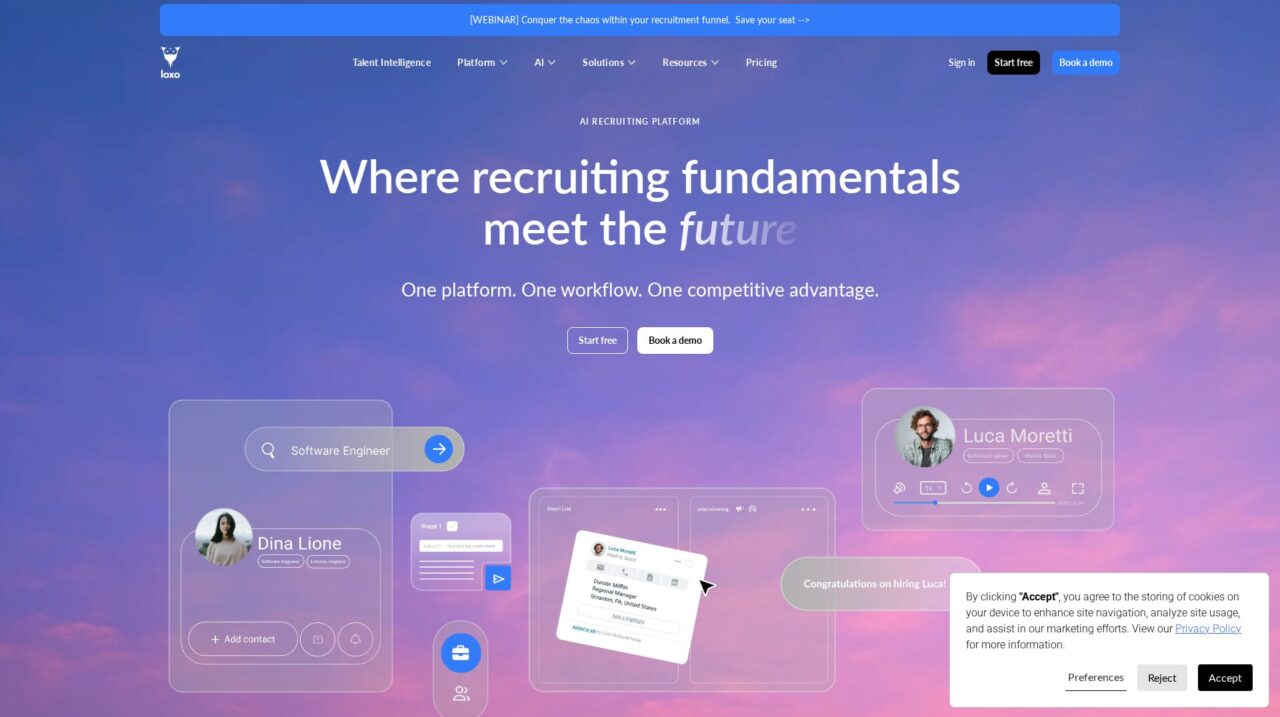

Loxo is an AI-native Talent Intelligence platform that combines ATS, CRM, sourcing, and outreach in one system for agencies, RPOs, and in-house recruiting teams.
I have evaluated Loxo across its ATS, CRM, sourcing, and automation capabilities to understand how it performs as a modern Talent Intelligence platform. This review is my structured take on where it shines, where it has tradeoffs, and how it compares to other recruiting tools.
If you are still exploring the broader landscape, start with our comparison of leading recruiting ATS and CRM software on CX Everywhere to see how Loxo stacks up at a category level. Once you have that context, it becomes easier to judge whether this kind of all-in-one platform fits your team.
Loxo is widely known among recruitment agencies, executive search firms, and in-house talent teams for its AI-native approach and unified workflow. Yet marketing claims alone do not guarantee that it will match your specific processes, data needs, or team capabilities, which is why a deeper evaluation is important before committing.
In this review, you will learn Loxo’s core strengths and limitations, how its features map to real recruiting workflows, and which types of organizations get the most value from it. The focus is on teams that run high-volume or relationship-heavy hiring, including agencies, RPOs, and corporate talent acquisition groups that want to move faster with fewer disconnected tools.
At its core, Loxo aims to solve the fragmentation problem in recruiting tech: multiple tools for ATS, CRM, outbound campaigns, sourcing, and reporting that do not talk to each other. By centralizing those functions and layering in AI-driven automation, it supports the daily work of sourcing, engaging, and tracking candidates across the full talent lifecycle.
Loxo Review Summary
Loxo is a strong choice for recruiting teams that want to consolidate ATS, CRM, sourcing, and outreach into a single, AI-native platform. Its unified workflow and automation capabilities reduce manual data entry, keep candidate records fresher, and help recruiters run more effective outbound campaigns with less tool-switching.
The tradeoffs are typical of all-in-one systems: there is more to configure and adopt than in a basic ATS, and very complex or highly regulated enterprise environments may still favor a large HCM suite. For agencies, RPOs, and in-house teams with a heavy outbound motion, however, Loxo offers a compelling balance of power, usability, and extensibility.
How We Review Tools and Assign the CX Score
We've developed a comprehensive scoring system to evaluate software tools objectively. Our CX Score (1.0–5.0) reflects how strong a product is within its category, based on hands-on testing and analysis across multiple criteria.
Core Functionality
Does the tool deliver the essential features users expect? We assess whether core capabilities meet category standards and if key features are accessible across pricing tiers.
Standout Features
We evaluate unique capabilities that go beyond the basics—features that make the product faster, more efficient, or offer additional value compared to competitors.
Ease of Use
How intuitive is the interface? We consider design quality, mobile apps, templates, and whether complex tasks feel simple to execute.
Onboarding
We measure how quickly new users can get productive with minimal training. High-scoring tools require little to no external support to get started.
Integrations
We assess native integrations, third-party connections, and API access. Tools that connect easily with common tech stacks score higher.
Customer Support
How easy is it to get help? We evaluate support channels, response times, and quality of documentation. Real-time human support scores best.
Value for Money
We compare pricing against features delivered. Software that offers more functionality at competitive prices receives higher marks.
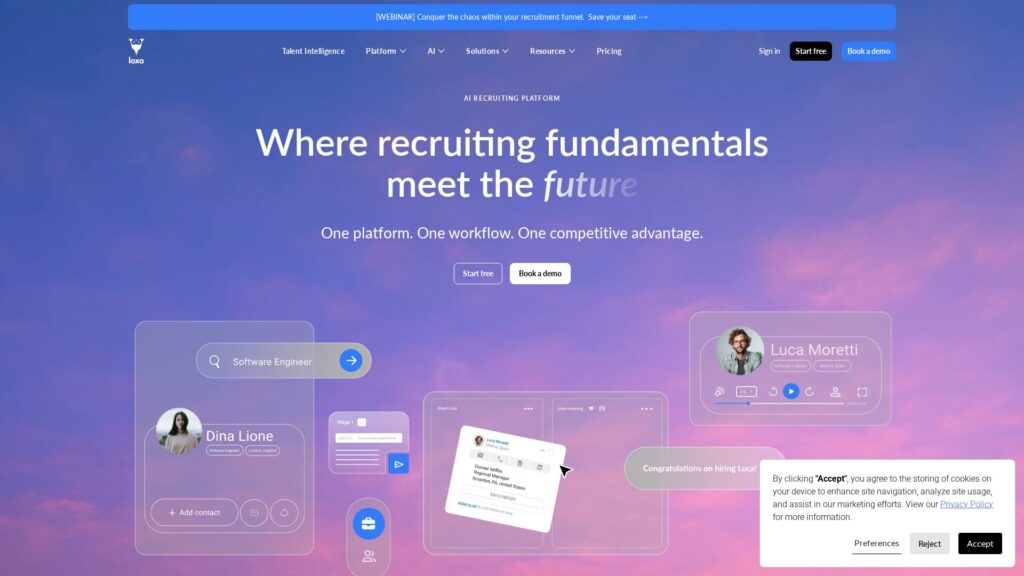
Features of Loxo
- Applicant tracking
- Recruiting CRM
- AI-powered candidate matching
- Chrome sourcing extension
- Outbound email campaigns
- Multi-step sequences
- Automatic activity logging
- Advanced search and filtering
- Analytics and reporting
- Custom pipelines and stages
- Custom fields
- User permissions and roles
- API access
- HRIS integrations
- Calendar and email integrations
- Sourcing data enrichment
- Multi-tenant support for agencies
- Mobile responsive interface
- On-premise deployment
- Built-in payroll
Unified ATS and recruiting CRM for end-to-end hiring
Loxo combines a full-featured applicant tracking system with a true recruiting CRM, allowing teams to manage live job pipelines and long-term talent relationships in the same place. Recruiters can track requisitions, stages, interviews, and feedback while also building segmented talent pools, logging all interactions, and revisiting candidates as new roles open.
This unified approach matters because many ATS platforms are strong at basic tracking but weak at nurturing and re-engagement. Loxo closes that gap so agencies, RPOs, and in-house teams can treat their database as an active asset rather than a static archive of past applicants.
AI-driven talent intelligence and candidate matching
The platform incorporates AI to help with candidate matching, shortlist generation, and keeping records current. Instead of starting each search from scratch, recruiters can rely on Loxo’s intelligence to surface likely fits based on historical data, profile information, and previous activity across the system.
In practice, this reduces time-to-shortlist and supports more proactive recruiting, especially in niche markets where building and maintaining a curated network is critical. Compared to traditional ATS tools that rely mainly on keyword search, Loxo’s intelligence layer provides a more dynamic view of the talent landscape.
One-click sourcing with a Chrome extension
Loxo’s Chrome extension lets recruiters import candidate information from external sites into the platform with a single click, turning sourcing sessions into structured, trackable data without manual entry. Profiles captured this way are enriched and immediately usable in searches, pipelines, and campaigns.
This is a major improvement over copying and pasting data between a browser and ATS, a process that is both error-prone and time-consuming. While similar extensions exist in dedicated sourcing tools, having it tied directly into the core ATS and CRM means less duplication and cleaner records.
Automated candidate engagement and outreach campaigns
Beyond one-off emails, Loxo supports automated, multi-step campaigns that can be triggered by pipeline stage or other conditions. Recruiters can design sequences of emails, messages, and follow-ups that run automatically, with responses and activities logged back into each candidate’s record.
This is particularly valuable for agencies and RPOs managing large volumes of outreach. Compared to basic bulk email in many ATS systems, the campaign engine feels closer to a sales engagement tool, helping teams maintain consistent, timely communication without manual tracking.
Automatic activity logging and data hygiene
A core feature of Loxo is its automatic logging of recruiter activities, including emails, calls, messages, and status changes, directly into the platform. Instead of spending time copying notes into a CRM or updating spreadsheets, recruiters can trust that their interactions are recorded as they work.
Coupled with automated updates to candidate information over time, this significantly improves database hygiene. Teams benefit from more complete histories, fewer duplicate records, and better reporting, which in turn power smarter sourcing and outreach decisions.
Analytics and performance reporting for recruiting teams
Loxo includes reporting tools that let users generate performance insights by defining key parameters, rather than building complex spreadsheets or custom dashboards. Common metrics like time-to-fill, pipeline conversion, and recruiter activity can be surfaced quickly for both internal teams and clients.
For agencies and RPO providers, this makes it easier to demonstrate value and optimize process, while in-house talent teams gain visibility into bottlenecks and capacity needs. Compared to many mid-market ATS options, Loxo’s reporting engine is more tightly tied to the unified data model, which helps avoid the data silos that often undermine analytics efforts.
Configurable workflows for different recruiting models
Loxo can be configured for multiple recruiting models, including in-house corporate talent acquisition, recruitment process outsourcing, and executive search. Pipelines, fields, and workflows can be tailored to match each organization’s approach, with the option to segment by teams or business lines.
This flexibility matters because agencies, RPOs, and in-house teams often have very different needs around stages, touchpoints, and reporting. Rather than forcing a one-size-fits-all flow, Loxo offers a common platform that can be adapted to each use case while still benefiting from shared data and integrations.
Loxo is positioned as an easy-to-use, recruiter-friendly platform, and in practice most teams find the interface intuitive once core concepts are understood. The main workflows mirror how recruiters think: sourcing into lists, moving candidates through stages, and triggering outreach from within those views. G2 recognition for ease of use and fast implementation aligns with reports from many teams that have migrated from legacy ATS tools.
That said, because Loxo covers ATS, CRM, sourcing, and campaigns, there is more to learn than with a narrow applicant tracking system. Admins will need to invest time in setting up stages, custom fields, permissions, and standard reports. For recruiters, a brief onboarding and some initial coaching around best practices usually gets them productive quickly, especially if the rollout is phased and focused on a few core workflows first.
Loxo offers over 100 software integrations, covering common categories like HRIS and HCM systems, email and calendaring, collaboration tools, and other HR and recruiting utilities. This breadth allows organizations to connect Loxo to existing systems of record while still using it as the primary day-to-day recruiting workspace.
While the integration catalog is strong for a recruiting platform, buyers should verify that their specific systems and required data flows are supported. It is important to understand whether integrations are native, use middleware, or rely on APIs, and how bi-directional sync, authentication, and field mapping are handled. Given the central role Loxo can play in the hiring stack, a short technical due diligence step will pay off in smoother implementation and fewer manual workarounds later.
Loxo Overview
Pros
- All-in-one platform combining ATS, CRM, sourcing, and outreach in one system
- AI-native design that supports intelligent matching and automated database maintenance
- Chrome extension enables true one-click sourcing from external sites
- Automated multi-step campaigns reduce manual follow-up work for recruiters
- Automatic activity logging improves data hygiene and reporting accuracy
- Strong fit for agencies, RPOs, and high-volume recruiting teams
- Over 100 integrations help Loxo slot into existing HR and IT stacks
- Recognized by G2 for ease of use, ROI, and fast implementation
- Configurable workflows to support in-house, RPO, and executive search models
Cons
- Broad feature set can feel complex for teams wanting a simple, lightweight ATS
- All-in-one approach may not suit organizations that prefer best-of-breed point tools
- Requires careful implementation and change management to realize full value
- Highly complex global or enterprise HR environments may still favor larger HCM suites
Loxo: Frequently Asked Questions
What is Loxo used for?
Loxo is used by recruiting agencies, RPOs, and in-house talent teams to manage the full hiring lifecycle, combining ATS, CRM, sourcing, and automated outreach in one platform.
Who is Loxo best suited for?
It is best suited for high-activity recruiting organizations such as agencies, executive search firms, RPO providers, and corporate talent acquisition teams that rely heavily on outbound sourcing and relationship management.
Does Loxo replace both an ATS and a recruiting CRM?
Yes, Loxo is designed as a unified Talent Intelligence Platform that replaces separate ATS and recruiting CRM tools, while also adding sourcing, campaigns, and analytics capabilities.
How does Loxo help reduce recruiter busywork?
Loxo automates tasks like data entry via a Chrome extension, logs outreach and activities automatically, runs multi-step engagement campaigns, and keeps candidate records updated over time, reducing manual admin work.
Can Loxo integrate with our existing HR and IT systems?
Loxo offers more than 100 integrations, including common HRIS, messaging, and productivity tools, but you should confirm that your specific systems and required data flows are supported before implementation.
Is Loxo suitable for small companies hiring occasionally?
Smaller organizations with only a handful of hires per year may find a lighter ATS sufficient, as Loxo’s breadth is most valuable to teams that run ongoing, high-volume, or relationship-driven recruiting.
Does Loxo offer analytics and reporting on recruiting performance?
Yes, Loxo includes built-in analytics that let you generate reports on time-to-hire, pipeline performance, recruiter activity, and other key metrics without heavy spreadsheet work.
Can Loxo support different recruiting models like RPO and in-house?
Loxo is configurable for multiple models, including RPO, agencies, and in-house teams, with customizable workflows, pipelines, and fields tailored to each use case.
