
OnTheClock Review: Simple Online Time Clock & Payroll Tool 2026
 Jan 13,2026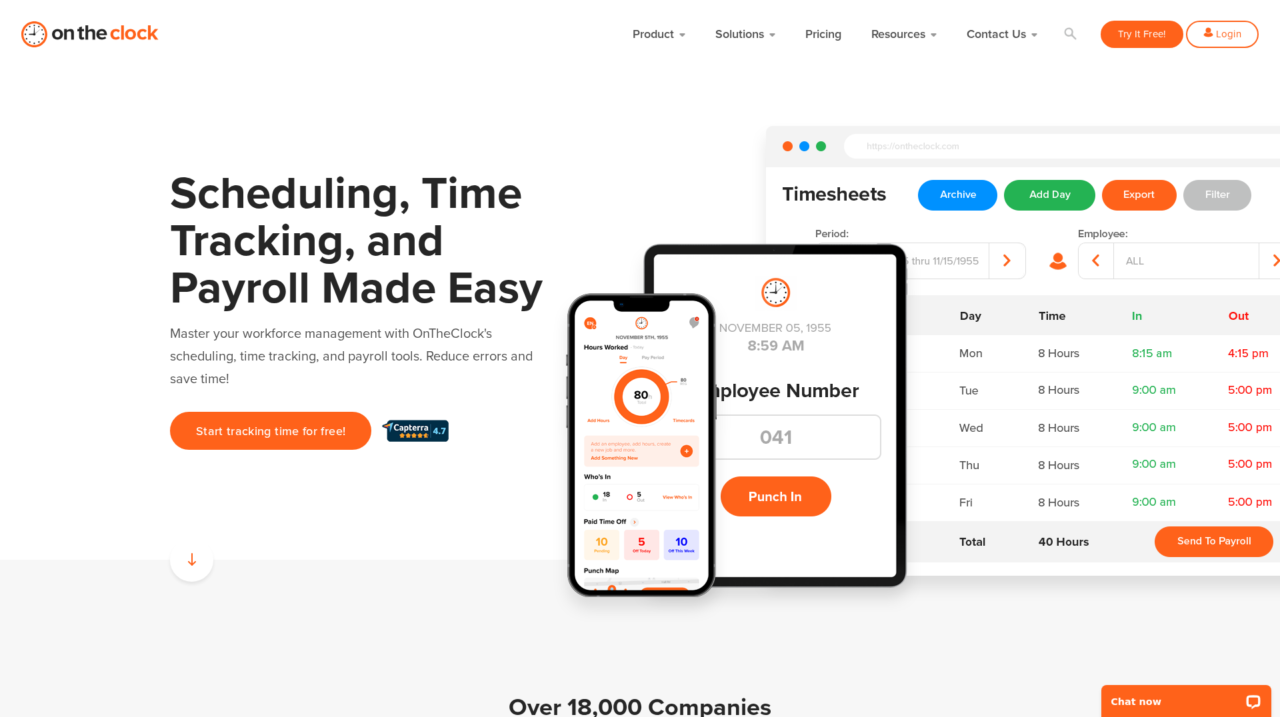

OnTheClock is an online time clock and workforce management platform for small and midsize businesses that need simple employee time tracking, PTO management, scheduling and payroll support.
After analyzing OnTheClock in depth, this review walks through how it actually performs as an online time clock and workforce management tool for growing businesses. If you are just starting your search, it is worth comparing it to other options in our broader time tracking software guide on CX Everywhere so you understand where it sits in the landscape.
OnTheClock is a well known name among small businesses looking to replace paper timesheets or basic punch clocks with something cloud based and mobile friendly. Despite its popularity and strong ratings, many buyers still need help understanding whether its feature set, controls and integrations will match their specific workflows.
In this review, you will get a clear view of its strengths and weaknesses, the key features that matter most in day to day use, and the types of businesses and teams it tends to serve best. The focus is on practical guidance, not marketing, so you can decide if it fits your operations.
OnTheClock is designed primarily for small and midsize employers with hourly or mobile staff in industries like construction, trades, retail, restaurants and services. It solves the core problem of capturing accurate hours, applying PTO and quickly getting data into payroll, with minimal training for employees or managers.
OnTheClock Review Summary
OnTheClock delivers a focused, easy to use solution for online time tracking, PTO management and payroll preparation, which is exactly what many small and midsize businesses need. Its GPS based clock ins, live punch feed, mobile apps and payroll integrations provide a solid operational backbone without the complexity of a full HR suite.
It is not intended to handle every HR process or the most complex enterprise scheduling scenarios, but within its lane it performs very well and is backed by strong customer satisfaction scores. If your priority is to eliminate manual timesheets, reduce payroll errors and gain clearer visibility into who is working where, OnTheClock is a strong candidate to evaluate via demo or trial.
How We Review Tools and Assign the CX Score
We've developed a comprehensive scoring system to evaluate software tools objectively. Our CX Score (1.0–5.0) reflects how strong a product is within its category, based on hands-on testing and analysis across multiple criteria.
Core Functionality
Does the tool deliver the essential features users expect? We assess whether core capabilities meet category standards and if key features are accessible across pricing tiers.
Standout Features
We evaluate unique capabilities that go beyond the basics—features that make the product faster, more efficient, or offer additional value compared to competitors.
Ease of Use
How intuitive is the interface? We consider design quality, mobile apps, templates, and whether complex tasks feel simple to execute.
Onboarding
We measure how quickly new users can get productive with minimal training. High-scoring tools require little to no external support to get started.
Integrations
We assess native integrations, third-party connections, and API access. Tools that connect easily with common tech stacks score higher.
Customer Support
How easy is it to get help? We evaluate support channels, response times, and quality of documentation. Real-time human support scores best.
Value for Money
We compare pricing against features delivered. Software that offers more functionality at competitive prices receives higher marks.
Features of OnTheClock
- Web based time clock
- Mobile apps for iOS and Android
- Kiosk or shared device mode
- GPS location tracking
- Geofencing controls
- Live punch feed dashboard
- PTO tracking and accruals
- Employee self service PTO requests
- Basic shift scheduling
- Overtime tracking
- Payroll exports
- Payroll provider integrations
- Full service payroll option
- Timesheet approvals
- Reporting and analytics
- Role based permissions
- Single sign on (SSO)
- Open API
- On premise deployment
- Advanced HR modules (recruiting, performance)
Accurate Employee Time Tracking With Flexible Punch Options
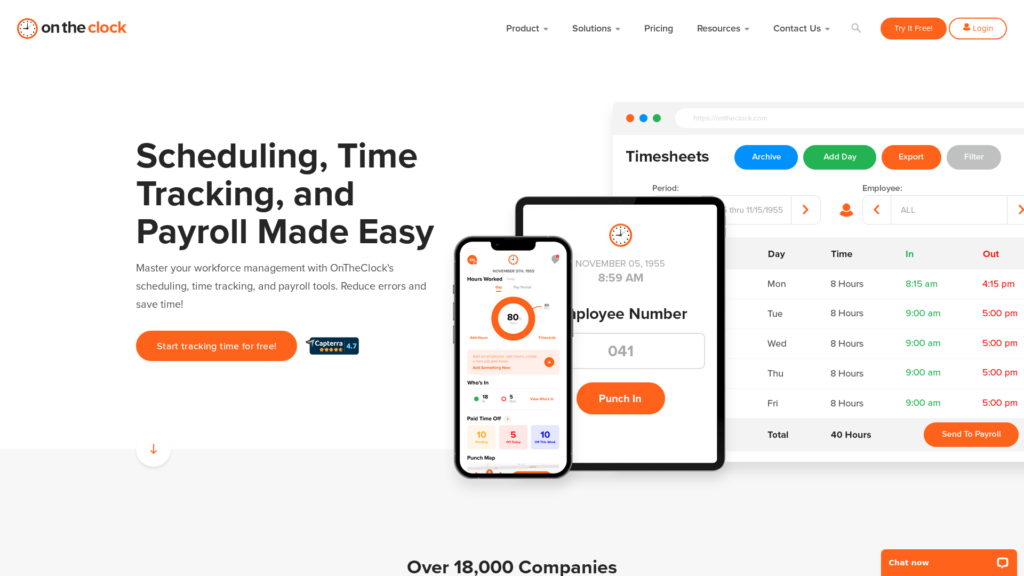
OnTheClock centers on accurate time capture, letting employees clock in and out via web browser, mobile apps or a shared kiosk. Each punch is logged with time, date and device information, and managers can view a live punch feed to see who is currently on the clock. This flexibility is a clear step up from physical time clocks or spreadsheets that rely heavily on manual entry.
The system automatically compiles punches into timesheets for each pay period, handling regular hours, overtime and breaks based on your configuration. Compared with basic tools that just record timestamps, OnTheClock’s automated timesheets reduce repetitive calculations and give you cleaner data for approvals and audits.
GPS Based Location Tracking to Reduce Time Theft
For mobile and field based teams, OnTheClock uses GPS to verify where employees are when they punch in and out. Real time location tracking helps prevent off site clock ins and buddy punching, two of the most common sources of time theft in distributed workforces. Managers can quickly confirm that workers are actually at job sites when they start and end shifts.
Compared with time tracking apps that do not include location awareness, this provides a stronger control framework and more confidence in your labor data. At the same time, configuration options let you tune how strict you want enforcement to be, which is important for balancing trust and oversight.
PTO Tracking and Self Service Time Off Management
OnTheClock includes built in PTO tracking so you can define accrual policies, track balances and approve or deny requests without using separate spreadsheets. PTO totals are automatically updated on employee timesheets, meaning payroll and managers always see up to date balances. This is particularly useful for small businesses that previously relied on manual calculations or paper forms.
Employees can view their available PTO and submit time off requests directly, reducing the administrative load on office managers or owners. Compared with many basic time clocks that ignore PTO entirely, this feature helps centralize more of your workforce management workflow in one tool.
Simplified Scheduling to Coordinate Shifts and Hours
OnTheClock offers scheduling features that allow managers to assign shifts and expected hours, then compare schedules against actual punches. This helps avoid coverage gaps and makes it easier to ensure labor plans align with your operating hours. While it may not match the depth of specialist scheduling platforms, it is more than sufficient for many small and midsize teams.
Integrating scheduling with time tracking also means you can quickly see discrepancies between planned and actual hours, which supports better labor cost control. Many smaller tools separate these workflows, forcing managers to reconcile data manually.
Payroll Integrations and Full Service Payroll Option
One of OnTheClock’s practical advantages is its support for both native payroll processing and integrations with popular third party payroll providers. You can select your pay period, review time data, and then either run payroll inside OnTheClock or push clean timesheet data to systems like QuickBooks, Gusto, ADP, Paychex and others.
This flexibility protects you from vendor lock in and lets you keep using a preferred payroll system while still upgrading your time tracking. Compared to standalone time clocks that provide only basic CSV exports, OnTheClock’s dedicated integrations save time and reduce import errors.
Mobile Apps and Kiosk Mode for Any Device Access
OnTheClock’s mobile apps allow employees to punch in and out, review hours and check PTO balances from their phones, making it well suited to remote or on the go workforces. There is also support for a kiosk style setup where a shared tablet or computer acts as the central clock for a location, which is common in retail or workshop environments.
In combination with device authorization and geofencing, this multi device support gives managers strong control over where and how employees can punch. Many competing tools are either mobile only or web only; OnTheClock’s blended approach provides more deployment flexibility.
Reporting and Visibility for Managers and Owners
OnTheClock provides reports on hours worked, overtime, PTO usage and other key metrics so managers and owners can understand labor costs and attendance trends. These reports help simplify payroll review and can also be used for internal analysis, such as monitoring overtime or identifying attendance issues.
While its reporting is not as deep as dedicated business intelligence tools, it meets and often exceeds what small and midsize businesses typically get from simple punch clocks or spreadsheet based tracking. The combination of real time and historical views supports better day to day decision making.
OnTheClock is designed to be implemented quickly without IT support. Setting up a new account involves configuring a few basic settings like time zone and pay period, adding employees with minimal data, and choosing how staff will punch in, whether via mobile, web or kiosk. Most small businesses can get to a usable state in a single afternoon.
The interface is straightforward for both administrators and employees, with clear navigation, simple forms and intuitive workflows for clocking in, requesting PTO and approving timesheets. Customer reviews frequently highlight that the platform is easy to learn and that support is responsive when questions arise, which lowers the overall learning curve and admin burden compared with more complex HR systems.
OnTheClock integrates with a range of third party payroll providers, including major systems such as QuickBooks, Gusto, ADP, Paychex and others, allowing you to export or sync time data directly into payroll runs. This reduces duplicate data entry and helps maintain a clean, auditable connection between time tracking and pay calculations.
In addition to payroll integrations, the platform offers export capabilities for reporting and accounting. Buyers with more complex tech stacks should confirm whether they need additional integrations or API access and should ask OnTheClock about any limits or extra steps required to connect with niche systems, as detailed public documentation is more limited than some enterprise focused platforms.
OnTheClock Overview
Pros
- Very easy for small businesses to implement and start using quickly
- Flexible clock in options across web, mobile apps and kiosk devices
- GPS based location tracking and geofencing help prevent time theft
- Integrated PTO tracking with automatic timesheet updates
- Straightforward scheduling paired with live punch feed visibility
- Seamless payroll integrations plus option for full service payroll
- Strong customer ratings and reputation for helpful support
- Affordable, flexible pricing model aimed at small and midsize teams
Cons
- Feature set is narrower than full HR or HCM platforms
- Scheduling and reporting may feel light for very complex organizations
- Not ideal for very large enterprises with advanced workforce management needs
- Public information on integrations and APIs is less detailed than some competitors
OnTheClock: Frequently Asked Questions
What type of businesses is OnTheClock best for?
OnTheClock is best for small and midsize businesses with hourly or mobile staff who need simple, accurate time tracking, PTO management and straightforward scheduling tied to payroll.
Can employees clock in from their phones?
Yes, employees can clock in and out using mobile apps, as well as web browsers or a shared kiosk device, depending on how you configure access.
Does OnTheClock help prevent off site clock ins and buddy punching?
Yes, GPS tracking and optional geofencing allow you to verify punch locations and restrict where employees can clock in to reduce time theft.
Can I keep my existing payroll provider?
In many cases yes; OnTheClock integrates with popular payroll providers like QuickBooks, Gusto and ADP so you can push timesheet data directly into your existing payroll workflow.
Is OnTheClock a full HR system?
No, OnTheClock focuses on time and attendance, PTO, scheduling and payroll connections, and does not include broader HR modules such as recruiting or performance management.
How long does implementation usually take?
Most small businesses can configure basic settings, add employees and start collecting punches within a few hours, thanks to a guided setup and simple interfaces.
Is OnTheClock suitable for very large enterprises?
It can technically scale, but very large or highly complex organizations may prefer enterprise workforce management or HCM systems with more advanced configuration and analytics.
Does OnTheClock offer reporting for hours and PTO?
Yes, managers can generate reports on total hours, overtime, PTO balances and usage, which support payroll preparation and labor cost tracking.
