
When I Work Review: Employee Scheduling & Time Tracking Software 2026
 Mar 26,2026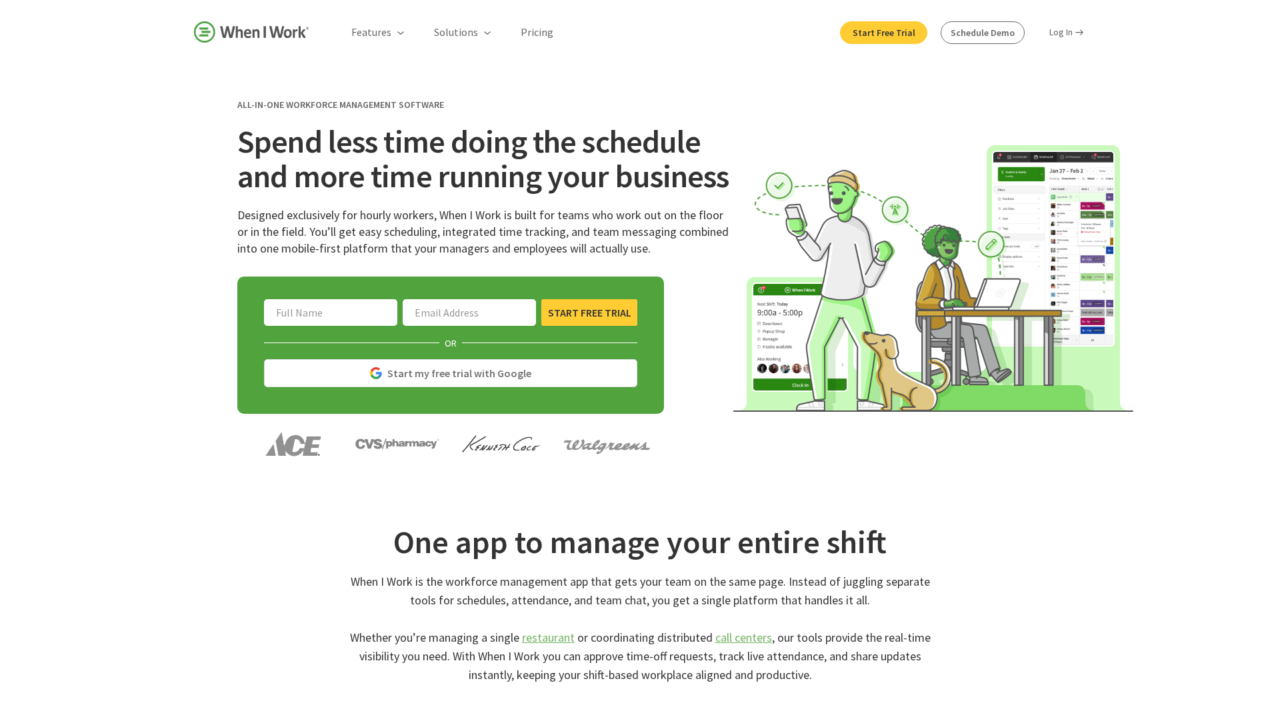

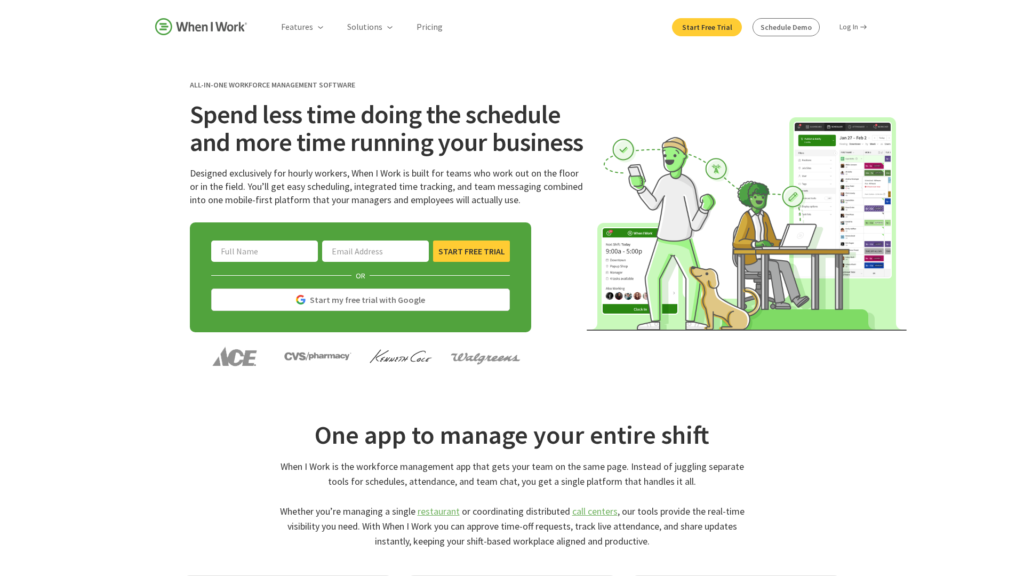
When I Work is an all-in-one employee scheduling, time tracking, and team messaging platform built for shift-based, hourly workforces across industries like restaurants, retail, healthcare, and field services.
After analyzing When I Work in depth, this review focuses on how well it actually solves the day-to-day realities of running shift-based teams. The goal is to help you decide if it is the right fit among the many options in the employee scheduling and time tracking space.
If you are still comparing categories, you may also want to look at our broader guide to workforce tools in our employee scheduling and time tracking software comparison on CX Everywhere, which sets the context for how platforms like When I Work stack up.
When I Work is a well-known name among restaurants, retailers, clinics, and service businesses, but name recognition alone does not guarantee it is right for your operation. Many buyers want a clear, opinionated view of what it does well, where it falls short, and how it compares to both lightweight apps and heavier workforce suites.
This review walks through its core features, real advantages and drawbacks, and ideal use cases, with an emphasis on owners, operators, and managers of hourly workforces from small single-location businesses up to growing multi-site organizations. We will focus on how it handles scheduling, time tracking, communication, and integrations so you can decide whether it matches the specific workflows in your business.
When I Work Review Summary
Overall, When I Work is one of the strongest choices for small and mid-sized organizations that run on hourly, shift-based labor. It combines intuitive scheduling, reliable time tracking, and built-in messaging in a mobile-first experience that employees and managers tend to adopt quickly. For many businesses, it replaces a patchwork of spreadsheets, texts, and standalone time clocks with a single source of truth.
Its biggest strengths are ease of use, frontline-focused workflows, and practical labor controls like forecasting and geofenced clock-ins. The tradeoffs are that it is not a full HRIS and may feel light for very large or highly regulated enterprises with complex union rules or global footprints. If you understand those boundaries and pair it with the right payroll and HR systems, it can be a high-ROI foundation for running shift work more efficiently.
How We Review Tools and Assign the CX Score
We've developed a comprehensive scoring system to evaluate software tools objectively. Our CX Score (1.0–5.0) reflects how strong a product is within its category, based on hands-on testing and analysis across multiple criteria.
Core Functionality
Does the tool deliver the essential features users expect? We assess whether core capabilities meet category standards and if key features are accessible across pricing tiers.
Standout Features
We evaluate unique capabilities that go beyond the basics—features that make the product faster, more efficient, or offer additional value compared to competitors.
Ease of Use
How intuitive is the interface? We consider design quality, mobile apps, templates, and whether complex tasks feel simple to execute.
Onboarding
We measure how quickly new users can get productive with minimal training. High-scoring tools require little to no external support to get started.
Integrations
We assess native integrations, third-party connections, and API access. Tools that connect easily with common tech stacks score higher.
Customer Support
How easy is it to get help? We evaluate support channels, response times, and quality of documentation. Real-time human support scores best.
Value for Money
We compare pricing against features delivered. Software that offers more functionality at competitive prices receives higher marks.
Features of When I Work
- Employee scheduling
- Time and attendance tracking
- Mobile time clock
- GPS and geofenced clock-ins
- Team messaging and announcements
- Shift swapping and open shifts
- Auto-scheduling
- Labor forecasting and budgeting
- Multi-location management
- Role-based access control
- Employee self-service via mobile app
- Web application
- iOS mobile app
- Android mobile app
- Payroll integrations (ADP, QuickBooks, Gusto, Rippling)
- Open API
- POS integrations
- Reporting and analytics
- Overtime and labor rule configuration
- Time off and availability management
- Alerts and shift notifications
- Single sign-on (SSO)
- On-premise deployment
- Global multi-currency payroll
- Full HRIS capabilities
Fast, Flexible Employee Scheduling for Shift-Based Teams
When I Work lets managers build schedules in minutes using templates, drag-and-drop editing, and recurring shifts. You can define positions, locations, and roles, then assign employees based on their availability and qualifications. Once published, schedules are instantly visible in the mobile app, and employees receive notifications instead of paper copies or email attachments.
Compared with many basic scheduling tools, When I Work goes further by supporting open shifts that employees can claim, shift bidding, and rules to reduce conflicts. This combination of speed and control makes it easier to keep every shift covered without micromanaging every change.
Integrated Time Clock and Attendance Tracking
The built-in time clock allows employees to clock in and out via the app or a shared device, with GPS and geofencing enforcement to ensure punches happen on-site. Managers see live attendance, late arrivals, and missed punches in real time, reducing manual reconciliation and time theft.
Because time data is natively linked to the schedule, it is much easier to spot discrepancies, overtime risks, and attendance patterns than when using separate timekeeping systems. This tight integration is a key differentiator from standalone time clocks or generic time tracking apps.
Mobile-First Team Messaging and Shift Notifications
Team messaging is built directly into When I Work, enabling one-to-one messages, group announcements, and automatic shift reminders. All communication is anchored to schedule and shift data, so messages are contextually relevant and less likely to get lost compared with generic chat tools or group texts.
This matters because most frontline employees rely heavily on their phones, but employers do not want schedules and policy updates scattered across personal channels. When I Work centralizes communication in the same app employees already open to view schedules and clock in.
Labor Forecasting and Budget Visibility
When I Work includes labor forecasting capabilities that compare scheduled hours and wages against expected demand, giving managers a forward-looking view of labor spend. You can adjust staffing levels to hit target labor percentages and avoid overstaffing slow periods or under-serving peak hours.
In many competing scheduling tools, operators are left to guess the financial impact of schedules or calculate it manually in spreadsheets. Having this insight built into the scheduling workflow helps protect margins and simplifies conversations between operations and finance teams.
Multi-Location and Franchise Management Controls
For organizations with multiple locations or departments, When I Work provides centralized oversight. You can manage distinct schedules per site while enforcing consistent permissions, pay rules, and workflows across the business. Managers get location-specific views, while regional leaders can monitor staffing and attendance across all sites.
This is particularly useful for franchises and multi-unit concepts, where minimal corporate IT resources are available but leadership still needs standardization and visibility. Compared with single-location-focused schedulers, these controls make scaling much more manageable.
Employee Self-Service for Shifts and Time Off
Employees can manage much of their own scheduling life cycle within the mobile app: viewing upcoming shifts, requesting time off, updating availability, and initiating shift swaps or picking up open shifts. Manager approvals and rules ensure compliance while still giving staff meaningful flexibility.
This self-service model reduces the volume of scheduling requests managers must handle manually and contributes to higher engagement and retention, especially in industries where schedule flexibility is a competitive advantage.
Payroll and HR System Integrations
When I Work connects to leading payroll and HR platforms such as Rippling, ADP, QuickBooks, Gusto, and others. Approved time and attendance data flows directly into payroll, minimizing duplicate data entry and reducing errors that come from manual timesheet handling.
While it is not a full HR or payroll system itself, these integrations make it practical to use When I Work as the frontline operations hub, with payroll and HR systems handling tax, benefits, and compliance on the back end.
Ease of use is one of When I Work’s defining qualities. Implementation can typically be completed in hours or days, not weeks, even for non-technical owners and managers. You import employees, set up locations and roles, define basic rules, and can start publishing schedules almost immediately. The interface is clean and approachable, with minimal training needed for frontline staff.
For everyday use, the mobile apps for iOS and Android are robust and intuitive, which is critical for hourly workers who may rarely use a desktop. Managers can perform most tasks on the go, from approving time-off requests to editing schedules and sending announcements. While power users might want deeper configuration or analytics, the overall learning curve is mild compared with full-blown enterprise workforce systems, making it a realistic choice for busy operators without dedicated IT support.
When I Work offers a practical set of integrations aimed at simplifying the flow of time and labor data into payroll and HR systems. Native connectors exist for popular platforms like Rippling, ADP, QuickBooks, Gusto, and similar providers, allowing approved timesheets to move directly into payroll runs and reducing the risk of manual data-entry errors.
For organizations with more complex stacks, it is important to validate support for your exact payroll, POS, or HRIS tools and any API or webhooks you may need for custom workflows. While the integration ecosystem is solid for most small and mid-sized businesses, very large enterprises or those with heavily customized systems should explore the API documentation, available middleware, and any data export options to ensure alignment with existing architecture.
When I Work Overview
Pros
- Excellent for shift-based teams needing scheduling, time tracking, and messaging in one app
- Intuitive mobile apps that employees and managers adopt quickly
- Auto-scheduling and labor forecasting help optimize coverage and labor costs
- Integrated time clock with GPS and geofencing reduces time theft and early clock-ins
- Strong fit for multi-location and franchise operations with centralized control
- Solid payroll integrations with tools like Rippling, ADP, QuickBooks, and Gusto
- Fast implementation and minimal training required for frontline staff
- Transparent, shift-focused workflows improve employee flexibility and satisfaction
Cons
- Not a full HRIS, so broader HR processes require additional systems
- May feel light for very large enterprises with complex union or global requirements
- Focused on hourly, on-site workforces and less suitable for project-based knowledge work
- Advanced analytics and highly customized reporting may be limited versus enterprise suites
When I Work: Frequently Asked Questions
What type of businesses is When I Work best suited for?
When I Work is best for small to mid-sized organizations that rely on hourly, shift-based workers, such as restaurants, retail, hospitality, healthcare clinics, manufacturing, franchises, and field services.
Can salaried or remote employees use When I Work?
They can be scheduled and tracked, but the product is optimized for on-site, hourly shift work, so remote or project-based teams may find it less aligned with their needs.
Does When I Work replace my payroll or HR system?
No, When I Work focuses on scheduling, time tracking, and communication, while payroll and broader HR processes are handled by integrated systems like ADP, QuickBooks, Gusto, or Rippling.
How long does it take to implement When I Work?
Most organizations can configure locations, roles, and employees and begin scheduling within hours or a few days, without needing a dedicated IT team.
Is there a mobile app for employees and managers?
Yes, When I Work offers native iOS and Android apps that support viewing schedules, clocking in and out, requesting time off, swapping shifts, and messaging.
Can When I Work handle multiple locations or franchises?
Yes, it supports multi-location management with centralized controls, allowing franchises and regional operations to maintain consistent rules while giving local managers control over their schedules.
How does When I Work help control labor costs?
By combining forecasting, schedule planning, and actual time worked, plus enforcing rules like geofenced clock-ins and controlling early punches, it helps reduce overstaffing, overtime, and time theft.
What integrations are available with When I Work?
When I Work integrates with popular payroll and HR platforms such as Rippling, ADP, QuickBooks, Gusto, and others, and offers APIs and exports for connecting to additional systems.
Is When I Work suitable for very large enterprises?
It can support hundreds of employees and multi-location operations, but enterprises with complex union contracts, global footprints, or advanced analytics needs should carefully evaluate its capabilities against heavyweight workforce management suites.
Does When I Work support employee self-service scheduling?
Yes, employees can request time off, update availability, swap shifts, and pick up open shifts via the mobile app, subject to manager approval and business rules.
