
Workforce Review: Workforce Management Software for Shift-Based Teams 2026
 Jan 11,2026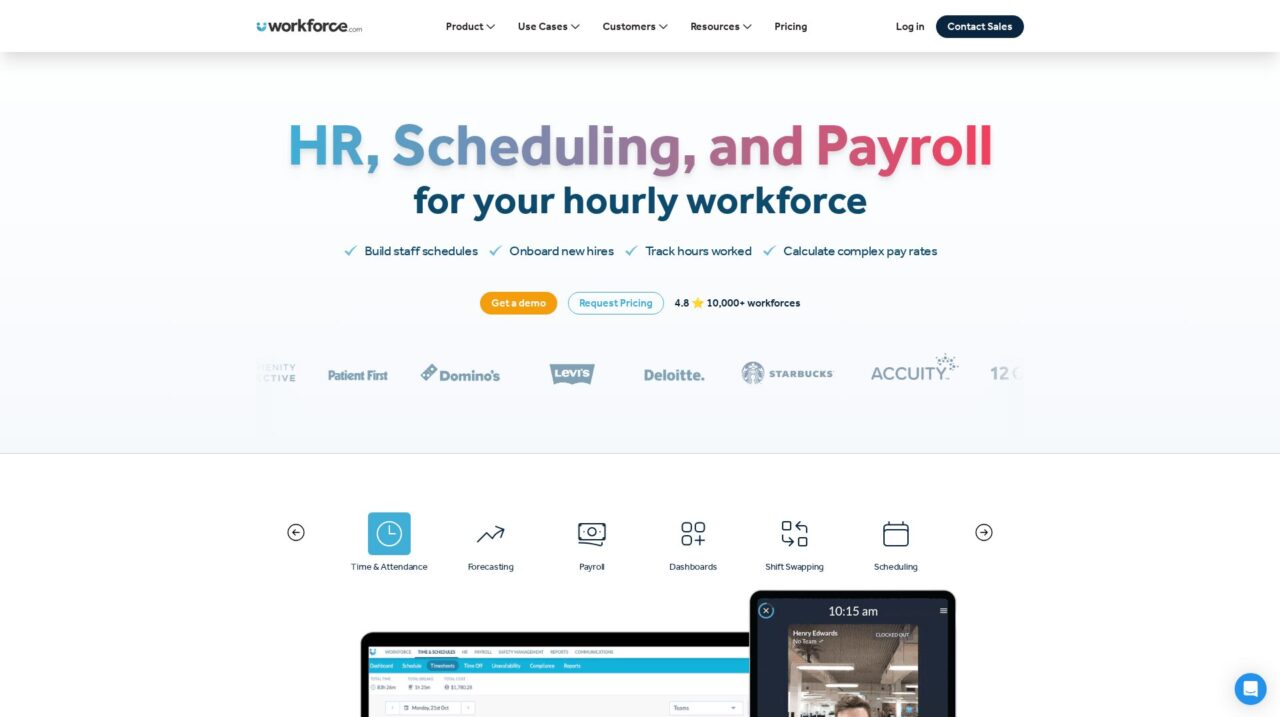

Workforce.com is a workforce management platform for shift-based organizations that need advanced scheduling, time and attendance, and compliance tools across operations, HR, payroll, and finance.
We have taken a close look at Workforce.com to understand how it performs as a workforce management platform for modern, shift-based organizations. This review brings together product capabilities, real-world use cases, and category benchmarks so you can judge whether it fits your operations. If you are still exploring the broader landscape, you may also want to compare it against other options in our workforce management software guide on CX Everywhere.
Workforce.com is well known among operations and HR leaders who manage large frontline or hourly workforces, but its real strengths and tradeoffs are not always obvious from marketing materials alone. Many teams come to it after outgrowing basic scheduling tools or facing mounting compliance and labor cost challenges, and they need a clear-eyed view of what the platform can actually deliver.
In this review, you will learn where Workforce.com shines, where it is less ideal, how it supports different departments, and what types of organizations are most likely to see value. The focus is on practical guidance: whether you are in operations, HR, finance, payroll, IT, or the C-suite, the goal is to help you decide whether this is the right fit for your workforce management strategy.
At a high level, Workforce.com tackles the core problem of coordinating people, time, and cost across complex shift environments. It connects scheduling, time and attendance, compliance, and labor analytics so that frontline staffing decisions are visible to leaders and easier to execute for managers and employees.
Workforce.com Review Summary
Overall, Workforce.com stands out as a robust, operations-focused workforce management system for organizations with meaningful shift complexity. It offers significantly more depth in scheduling, time and attendance, compliance automation, and labor cost analytics than lightweight tools, and it is built to serve stakeholders across operations, HR, finance, payroll, and leadership.
The tradeoff is that it assumes a certain level of organizational maturity and willingness to invest in implementation. For fast-growing or multi-location teams that want a centralized, data-driven approach to managing their frontline workforce, Workforce.com is a compelling option. For very small or low-complexity teams, a simpler solution may be more appropriate.
How We Review Tools and Assign the CX Score
We've developed a comprehensive scoring system to evaluate software tools objectively. Our CX Score (1.0–5.0) reflects how strong a product is within its category, based on hands-on testing and analysis across multiple criteria.
Core Functionality
Does the tool deliver the essential features users expect? We assess whether core capabilities meet category standards and if key features are accessible across pricing tiers.
Standout Features
We evaluate unique capabilities that go beyond the basics—features that make the product faster, more efficient, or offer additional value compared to competitors.
Ease of Use
How intuitive is the interface? We consider design quality, mobile apps, templates, and whether complex tasks feel simple to execute.
Onboarding
We measure how quickly new users can get productive with minimal training. High-scoring tools require little to no external support to get started.
Integrations
We assess native integrations, third-party connections, and API access. Tools that connect easily with common tech stacks score higher.
Customer Support
How easy is it to get help? We evaluate support channels, response times, and quality of documentation. Real-time human support scores best.
Value for Money
We compare pricing against features delivered. Software that offers more functionality at competitive prices receives higher marks.
Features of Workforce.com
- Employee scheduling
- Time and attendance tracking
- Overtime and break rule enforcement
- Labor cost forecasting and budgeting
- Real-time workforce dashboards
- Alerts for staffing gaps and exceptions
- Multi-location support
- Role-based access control
- Payroll-ready timesheets export
- Compliance management for working time rules
- Mobile access for managers and staff
- Analytics and reporting
- Integrations with HR and payroll systems
- Cloud-based deployment
- Open API
- Custom reporting
- Employee self-service for shifts
- On-premise deployment
- Full HRIS with benefits administration
Real-Time Visibility Into Workforce Operations
Workforce.com provides managers with live dashboards and alerts that show who is working where, which shifts are understaffed, and where attendance issues are emerging. Unlike basic scheduling tools that only reflect planned rosters, Workforce.com combines scheduled data with actual clock-ins so operations leaders can identify coverage gaps and make adjustments in real time.
This visibility is critical in industries where service quality depends on having the right people in the right place at the right time. By surfacing potential problems early, the platform helps managers redeploy staff, call in replacements, or adjust service levels before issues affect customers or safety.
Advanced Scheduling for Shift-Based Teams
The platform’s scheduling capabilities are designed for complex shift environments with multiple locations, roles, and labor constraints. Managers can build rosters that account for availability, skill requirements, labor budgets, and compliance rules such as maximum hours or required breaks. Schedules can be quickly updated when demand or staffing changes, and employees can see their shifts and changes clearly.
Compared to simple scheduling apps, Workforce.com emphasizes both control and flexibility. It aims to reduce manual back-and-forth, cut down on errors, and make it easier to align staffing with forecasted demand and budget assumptions.
Time and Attendance Integrated With Payroll Workflows
Workforce.com unifies scheduling with time and attendance so that actual hours worked flow directly into payroll-ready timesheets. Employees clock in and out through configured channels, and the system automatically matches these entries against the schedule, applying rules for rounding, overtime, and exceptions.
For payroll teams, this integration greatly reduces manual timesheet cleanup. Being able to pull accurate timesheets and consistent reports speeds up the payroll cycle and lowers the risk of disputes with employees about their hours, which is a recurring pain point with disconnected or manual processes.
Labor Cost Analytics and Cashflow Insights
Finance leaders can use Workforce.com to dive deep into labor costs across locations, departments, and roles. The system helps teams understand how scheduled and actual hours translate into labor spend, and how that compares to forecasts and revenue. Cashflow projections benefit from up-to-date visibility into labor obligations based on shifts already scheduled and hours worked.
This level of analysis is often missing from basic workforce tools, forcing finance teams to export data into spreadsheets. Workforce.com reduces that dependency by giving finance a more direct view into labor drivers, enabling faster identification of pain points and potential savings.
Compliance and Policy Enforcement
Workforce.com is built to automate compliance with labor rules such as maximum working hours, mandated rest periods, and overtime thresholds. By embedding these rules into both scheduling and time tracking, the platform helps prevent violations before they occur rather than just reporting on them after the fact.
For organizations operating across multiple jurisdictions or managing a mix of employment types, this automation reduces legal risk and the administrative burden of manually checking every schedule and timesheet. Compared to tools that treat compliance as an afterthought, Workforce.com makes it a core part of the workflow.
Self-Service Tools for Managers and Reduced IT Dependence
The interface is designed so operations and HR leaders can modify schedules, rules, and configurations without constantly relying on IT. Role-based permissions allow the right level of control for managers while preserving governance over sensitive settings and data.
This approach contrasts with older on-premise or highly customized systems that require IT involvement for routine changes. By empowering operational users, Workforce.com shortens response times, lightens IT ticket queues, and keeps the system aligned with on-the-ground reality.
Executive-Level Transparency and Field Connection
For C-suite leaders, Workforce.com offers a direct window into the performance and experience of frontline teams. Dashboards and reports tie labor decisions to KPIs such as retention, service quality, and costs, helping executives understand how workforce management is influencing strategic outcomes.
This transparency supports better decision-making about staffing models, investments in frontline tools, and initiatives to improve employee experience and loyalty. It goes beyond basic headcount reporting to show how work is actually organized and delivered across the organization.
Workforce.com is designed for operational users, which means its day-to-day interface is approachable for managers who are not technical specialists. Schedule views, timesheets, and dashboards are laid out in a way that feels familiar to people used to spreadsheets and wall charts, but with the added benefit of automation and real-time updates. Once configured, most routine actions, such as adjusting shifts or approving timesheets, can be done quickly from within a browser.
The tradeoff is that initial setup can be more involved than with lightweight tools. Organizations must define locations, roles, labor rules, and integration points carefully to get full value. Training for managers and payroll staff is recommended to ensure they understand not just how to use the system, but how it ties into compliance and cost control. For companies willing to invest in a structured rollout, the long-term usability and reduced manual work usually justify the upfront effort.
Workforce.com typically sits alongside HRIS, payroll, and POS or operational systems, so integration is an important part of a successful deployment. The platform offers integration capabilities to push and pull employee data, timesheets, and financial information between systems, minimizing double entry and reducing the chance of errors. In many implementations, data flows from HR or core HRIS into Workforce.com for scheduling and time, and then approved timesheets are sent to payroll and finance systems.
Prospective buyers should confirm which native integrations are available for their specific HR, payroll, and financial tools, and whether APIs or middleware are needed to complete the picture. It is also worth clarifying how real-time the data syncs are, what events trigger updates, and how exceptions are handled. Ensuring your internal IT and data teams are aligned on these points will help you fully leverage Workforce.com as a central workforce data hub.
Workforce.com Overview
Pros
- Strong workforce management depth for scheduling, time, and labor analytics
- Real-time alerts and dashboards for coverage gaps and attendance issues
- Cross-functional value for operations, HR, finance, payroll, IT, and executives
- Integrated timesheets reduce payroll errors and speed up processing
- Compliance-focused rules help prevent labor law violations proactively
- Configurable interface allows managers to make many changes without IT
- Granular labor cost insights across locations and teams
- Improves executive visibility into frontline operations and employee experience
Cons
- Implementation and configuration can be heavier than basic scheduling apps
- Best suited to shift-based, multi-location organizations rather than very small teams
- Requires process alignment across HR, operations, finance, and payroll to realize full value
- Potential buyers should closely validate integrations with existing HR and payroll systems
Workforce.com: Frequently Asked Questions
What type of companies is Workforce.com best for?
Workforce.com is best suited to mid-sized and larger organizations with significant shift-based or frontline workforces, often across multiple locations.
Is Workforce.com a full HR suite?
No, Workforce.com focuses on workforce management, including scheduling, time and attendance, compliance, and labor analytics, and typically complements a core HRIS.
How does Workforce.com help payroll teams?
Workforce.com consolidates time and attendance with scheduling to produce accurate, payroll-ready timesheets and reports, reducing manual corrections and speeding payroll processing.
Does Workforce.com support multiple locations and teams?
Yes, it is designed for multi-location environments and allows granular analysis of labor costs and performance across different sites and teams.
What should buyers check before implementing Workforce.com?
Buyers should confirm integration options with existing HR, payroll, and financial tools, align internal processes around scheduling and time capture, and plan for configuration of labor rules and locations.
Is Workforce.com suitable for very small businesses?
Very small businesses with simple scheduling needs may find Workforce.com more powerful than necessary and might prefer lighter tools, while growing or complex operations will benefit more from its depth.
