
Deputy Review: Workforce Management & Scheduling Software for 2026
 Mar 30,2026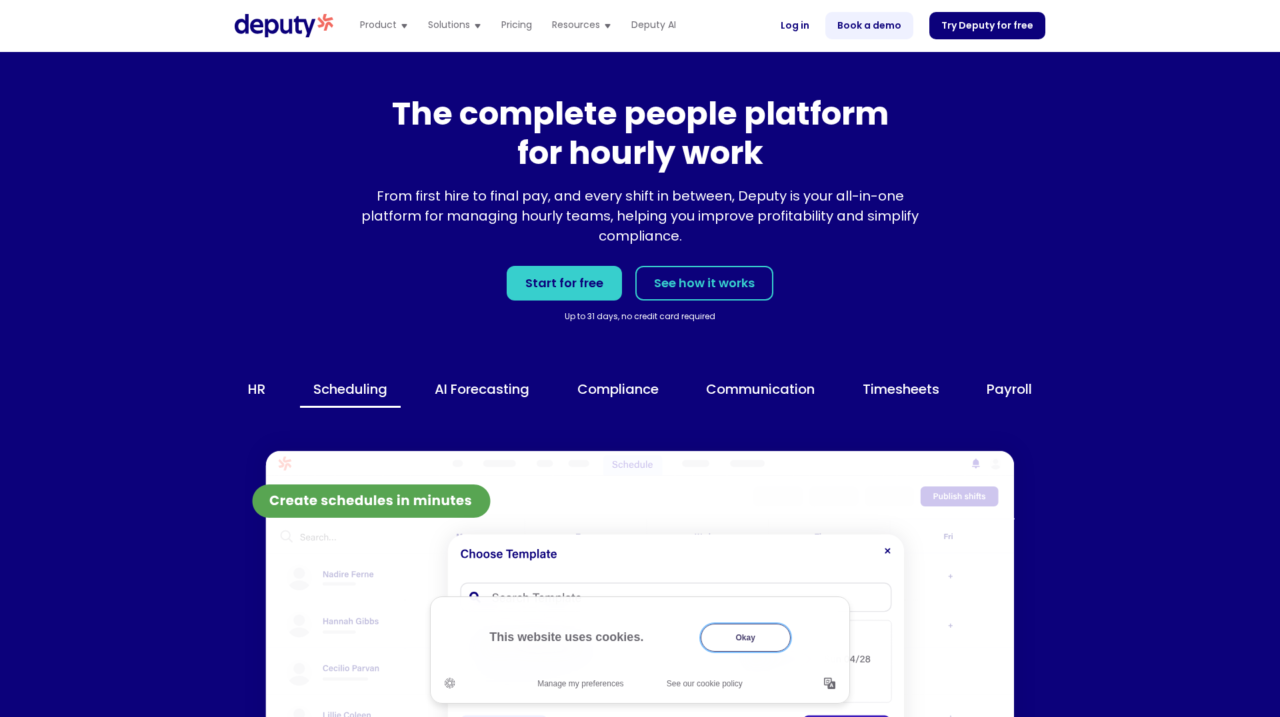

Deputy is a workforce management platform that combines employee scheduling, time and attendance, basic HR, labor compliance, and payroll connections for shift-based teams. It is built for multi-location businesses in retail, hospitality, healthcare, and other hourly industries that need to optimize labor costs and staffing.
After evaluating Deputy across real-world scheduling, time tracking, and compliance scenarios, this review breaks down how it actually performs as a workforce management platform for hourly teams. The goal is to give you enough context and detail to decide whether it belongs in your tech stack.
If you are still surveying the landscape more broadly, you may also want to compare Deputy against other options in the wider workforce management and employee scheduling software space, which we cover in our category reviews on CX Everywhere. That broader view will help you see where Deputy fits among lightweight schedulers and full HR suites.
Deputy has become one of the better-known names for shift-based scheduling and labor management, especially in retail, hospitality, and healthcare. Many teams adopt it to get out of spreadsheets or clunky legacy tools, but a surface-level overview does not always reveal its strengths and tradeoffs around AI forecasting, compliance, and integrations.
In this review, you will learn where Deputy excels, where it has limitations, and what kinds of organizations get the most value from it. The focus is on operators, HR and workforce managers, and finance leaders at multi-location businesses who need to optimize labor costs, keep schedules fair and compliant, and streamline payroll workflows. We will also ground the discussion in what Deputy actually does day to day for schedulers, managers, and frontline staff across locations.
Deputy Review Summary
Deputy stands out as a practical, operations-focused workforce management platform that solves the core problems of scheduling, time tracking, and labor compliance for hourly workforces. Its blend of AI-powered forecasting, user-friendly apps, and strong compliance automation provides real leverage for organizations trying to balance service levels with labor cost control. The product feels intentionally built for the realities of shift-based businesses rather than adapted from generic HR tools.
At the same time, Deputy is not a full replacement for an HRIS or global payroll solution. It works best when paired with complementary systems through integrations, especially in larger organizations. If you are clear that your main need is operational workforce management and are prepared to integrate it into your HR and payroll ecosystem, Deputy offers a strong, well-rounded platform that can scale with most mid-market, multi-location businesses.
How We Review Tools and Assign the CX Score
We've developed a comprehensive scoring system to evaluate software tools objectively. Our CX Score (1.0–5.0) reflects how strong a product is within its category, based on hands-on testing and analysis across multiple criteria.
Core Functionality
Does the tool deliver the essential features users expect? We assess whether core capabilities meet category standards and if key features are accessible across pricing tiers.
Standout Features
We evaluate unique capabilities that go beyond the basics—features that make the product faster, more efficient, or offer additional value compared to competitors.
Ease of Use
How intuitive is the interface? We consider design quality, mobile apps, templates, and whether complex tasks feel simple to execute.
Onboarding
We measure how quickly new users can get productive with minimal training. High-scoring tools require little to no external support to get started.
Integrations
We assess native integrations, third-party connections, and API access. Tools that connect easily with common tech stacks score higher.
Customer Support
How easy is it to get help? We evaluate support channels, response times, and quality of documentation. Real-time human support scores best.
Value for Money
We compare pricing against features delivered. Software that offers more functionality at competitive prices receives higher marks.
Features of Deputy
- Employee scheduling
- AI labor forecasting
- Time and attendance tracking
- Mobile apps for iOS and Android
- Kiosk time clock
- Labor law compliance tools
- Custom pay rules and overtime rules
- Fair Workweek support
- Multi-location management
- Shift swapping and time off requests
- Team communication and announcements
- Payroll system integrations
- HRIS integrations
- POS integrations
- Reporting and analytics
- Open API
- Role-based access controls
- Alerts and notifications
- Employee document management
- Performance management
- Recruiting and applicant tracking
- Built-in full-service payroll
- On-premise deployment
AI-Driven Scheduling for Shift-Based Teams
Deputy’s core scheduling engine lets managers build, copy, and adjust rosters quickly while the system calculates labor hours and costs in real time. AI models can recommend coverage based on historical demand, helping organizations hit budget targets without sacrificing service quality. Compared with manual methods or simple calendar tools, this significantly reduces the time spent creating schedules and the risk of inconsistent staffing decisions across locations.
Managers can also define templates and rules for roles, skills, and locations, then reuse them each week, which improves consistency and makes it easier for new managers to schedule effectively. For multi-location businesses, corporate teams gain much clearer oversight into how each site is staffing and whether they are adhering to guidelines.
Time and Attendance Tracking Linked to Schedules
Deputy ties time tracking tightly to the published schedule, allowing staff to clock in and out through mobile apps or on-site devices. The platform automatically generates timesheets from actual hours worked, highlights discrepancies from scheduled shifts, and flags late arrivals, early departures, and missed breaks. This linkage between schedule and timesheet data reduces manual editing and improves accuracy.
Because time and attendance are not bolted-on afterthoughts but integral parts of the workflow, managers can approve, adjust, and sign off on hours quickly. This is a big step up from basic time clock systems that do not know the context of the schedule and require extensive reconciliation before payroll.
Labor Compliance and Custom Pay Rules Automation
Deputy includes tools to encode and enforce complex labor rules such as overtime thresholds, rest breaks, split shifts, and Fair Workweek-style predictive scheduling requirements. Businesses can configure custom pay rules, so the system automatically applies the correct rates and premiums based on when and where employees work. This automation reduces the risk of human error and minimizes exposure to wage and hour claims.
Importantly, these rules operate at both scheduling and timesheet stages. That means the system can help prevent violations while building rosters and also calculate compliant pay after the fact. Compared with generic scheduling apps, this compliance-first design is a major advantage in regulated industries and jurisdictions.
Mobile Apps for Staff Self-Service
Deputy’s mobile apps give employees self-service access to their schedules, shift details, and timesheets. Workers can request time off, manage their availability, and submit shift swap requests according to rules defined by the business. This reduces administrative overhead for managers and gives staff more control over their work-life balance.
The apps also act as a communication channel, allowing managers to share updates, broadcast messages, or request acknowledgements. Compared to email threads or ad hoc chat groups, having all of this within the scheduling and time tracking context keeps information organized and accessible for frontline staff.
Centralized Visibility Across Locations
For organizations operating multiple stores, venues, or facilities, Deputy provides centralized dashboards and reporting on labor hours, costs, and schedule adherence across sites. Regional or head office teams can review staffing patterns, compare locations, and spot outliers quickly. This is particularly valuable for franchise networks or multi-brand groups looking to standardize operations without micromanaging every location.
Being able to drill down into specific locations or roll up to a group view helps translate operational data into actionable insights. Many basic scheduling tools stop at the individual site level; Deputy’s multi-location visibility is closer to what you expect from more advanced workforce management systems.
Payroll and HR System Integrations
Deputy is built to send accurate, approved timesheet data into a variety of payroll and HR platforms rather than to replace them entirely. Native integrations and file exports reduce manual re-entry, limit data errors, and shorten payroll cycles. For many organizations, this makes Deputy the operational system of record for hours worked, while core HR and payroll systems remain the system of record for employment and pay details.
Compared with monolithic HCM suites, this best-of-breed approach can be simpler to roll out and adapt. However, it does mean you need to plan and maintain integrations carefully, especially as you scale or operate across multiple regions with different payroll providers.
Deputy is generally regarded as easy to use for both managers and frontline staff. The web interface is clean and oriented around schedules, timesheets, and locations, which aligns with how operations teams think about their work. Most managers can pick up the basics of shift creation, editing, and approval with minimal training, especially if they are accustomed to consumer-grade web apps.
On the employee side, the mobile apps are straightforward, with clear access to upcoming shifts, clock-in buttons, and time off requests. This lowers the barrier to adoption across a varied workforce, including less tech-savvy staff. The most demanding aspect of implementation tends to be configuring pay rules and compliance settings correctly, which often requires cross-functional input from HR, operations, and finance. Once those rules are in place, day-to-day usage is light-touch and fits naturally into existing workflows.
Deputy is designed to sit alongside HR and payroll systems, so integrations are an important part of the product story. It offers connections to popular payroll providers, point-of-sale systems, and other business tools, enabling schedules and timesheets to be informed by demand data and then flow seamlessly into payroll. These integrations reduce double entry and help keep employee information consistent across systems.
However, the exact mix of supported integrations can vary by region and market segment, and some organizations may need to rely on file-based imports, exports, or APIs to connect specific systems. Prospective buyers should verify that their current payroll, HRIS, and POS providers are supported, and assess whether out-of-the-box connectors are sufficient or whether they will need technical resources to build and maintain custom integrations.
Deputy Overview
Pros
- Strong focus on hourly workforce management, especially scheduling and attendance
- AI-driven labor forecasting helps align staffing with demand and budgets
- Robust automation for breaks, overtime, and Fair Workweek-style compliance
- User-friendly mobile apps improve staff engagement and self-service
- Good multi-location visibility with roll-up and drill-down reporting
- Tight linkage between schedules and timesheets reduces payroll errors
- Flexible pay rule configuration supports complex award and penalty structures
Cons
- Not a full HRIS or end-to-end payroll solution on its own
- Requires careful configuration of labor and pay rules for complex environments
- Reliance on integrations means additional setup and ongoing maintenance
- Strategic HR capabilities like performance and talent management are limited
Deputy: Frequently Asked Questions
What type of businesses is Deputy best suited for?
Deputy is best for shift-based, multi-location businesses such as restaurants, retailers, hospitality groups, healthcare providers, and other organizations with large hourly workforces.
Does Deputy replace my existing payroll system?
In most cases, no. Deputy focuses on scheduling, time and attendance, and compliance, then integrates with payroll systems to pass accurate timesheet data for payment.
Can Deputy handle complex labor and pay rules?
Yes, Deputy supports configuration of custom pay rules, overtime calculations, breaks, and Fair Workweek-style requirements, but complex environments may require careful setup and occasional review.
Is Deputy easy for frontline employees to use?
Deputy offers mobile apps that allow staff to view schedules, clock in and out, swap shifts, and request time off, making it straightforward for frontline workers to adopt.
How does Deputy help control labor costs?
Deputy combines AI-driven labor forecasting, real-time labor cost visibility while scheduling, and rules-based scheduling to align staffing with demand and avoid unnecessary overtime or overstaffing.
Does Deputy support multi-location management?
Yes, Deputy is designed for multi-location organizations, with centralized dashboards, reporting, and configuration that provide roll-up and drill-down views across sites.
Can I integrate Deputy with my existing HR or POS systems?
Deputy supports integrations with many HR, payroll, and POS platforms, and also offers API and file-based options. Buyers should confirm compatibility with their specific systems.
Is Deputy a good fit for small single-location businesses?
Deputy can work for smaller teams, but its strengths are most apparent when managing multiple shifts, roles, and locations where scheduling, compliance, and visibility are more complex.
