
Gusto Review: Online Payroll and HR Platform for Small Businesses
 Jan 08,2026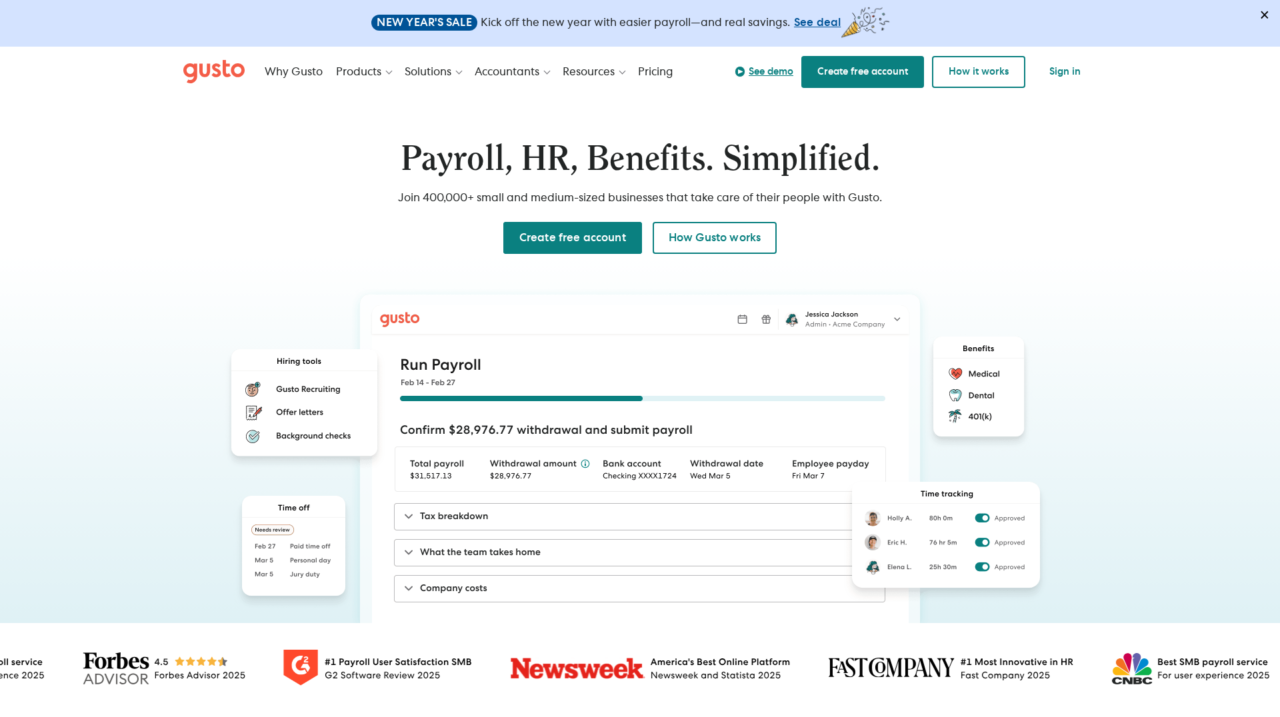

Gusto is an online payroll and HR platform built primarily for small and midsize US businesses that want to run payroll, manage benefits, and handle core HR in one place.
I have evaluated Gusto across real-world small business payroll and HR scenarios to understand where it excels and where it falls short. This review distills that analysis into practical guidance for buyers who need to choose the right people platform, not just a basic paycheck tool.
If you are still exploring the broader landscape of HR and payroll tools, it is worth comparing Gusto with other options in the wider HR and payroll software market to calibrate features, support, and long-term fit. Once you have that context, it becomes easier to see where Gusto’s strengths and tradeoffs land.
Gusto is one of the most widely recognized SMB payroll platforms, often recommended for its ease of use and high customer satisfaction. Yet name recognition alone is not enough to justify a switch. Business owners and operations leaders still need clarity on whether Gusto’s capabilities, integrations, and support match their specific needs.
In this review, you will learn Gusto’s key pros and cons, core features, and ideal use cases, along with clear recommendations on when it is the right choice and when a different solution might be a better long-term fit. It is written for US-based small and midsize businesses, finance and HR leaders, founders, and office managers who are responsible for payroll, benefits, and people operations.
At its core, Gusto aims to solve the headaches of running payroll, administering benefits, and supporting employees with modern HR workflows. It brings payroll, time, and people data together so you can onboard new hires, pay your team, keep up with tax and labor compliance, and give employees a self-service experience without needing an enterprise HR system.
Gusto Review Summary
Overall, Gusto is one of the strongest choices in the US SMB payroll and HR category, especially if you want full-service payroll, integrated benefits, and a modern employee experience in a single platform. Its automation around tax filing and compliance, combined with user-friendly workflows, can save dozens of hours per year and reduce risk for lean finance and HR teams.
The tradeoffs center on scope and depth. Gusto is intentionally built for small and midsize US businesses, not complex multinationals, and its HR feature set, while solid, is not as deep as a dedicated enterprise HRIS. If you fall within its target profile, the value is compelling and the day-to-day experience is usually excellent; if you are outside that profile, you should carefully evaluate your edge cases before committing.
How We Review Tools and Assign the CX Score
We've developed a comprehensive scoring system to evaluate software tools objectively. Our CX Score (1.0–5.0) reflects how strong a product is within its category, based on hands-on testing and analysis across multiple criteria.
Core Functionality
Does the tool deliver the essential features users expect? We assess whether core capabilities meet category standards and if key features are accessible across pricing tiers.
Standout Features
We evaluate unique capabilities that go beyond the basics—features that make the product faster, more efficient, or offer additional value compared to competitors.
Ease of Use
How intuitive is the interface? We consider design quality, mobile apps, templates, and whether complex tasks feel simple to execute.
Onboarding
We measure how quickly new users can get productive with minimal training. High-scoring tools require little to no external support to get started.
Integrations
We assess native integrations, third-party connections, and API access. Tools that connect easily with common tech stacks score higher.
Customer Support
How easy is it to get help? We evaluate support channels, response times, and quality of documentation. Real-time human support scores best.
Value for Money
We compare pricing against features delivered. Software that offers more functionality at competitive prices receives higher marks.
Features of Gusto
- Full-service US payroll
- Automatic tax filing
- W-2 and 1099 generation
- Time tracking and PTO management
- Employee self-service portal
- Health benefits administration
- Onboarding checklists and e-signatures
- Applicant tracking
- Compliance alerts and guidance
- Accounting software integrations
- Open API
- Mobile-responsive experience
- Global payroll support
- Advanced performance management
- On-premise deployment
Automated Payroll and Tax Filing for US Teams
Gusto’s flagship capability is full-service US payroll that automatically calculates wages, withholdings, and deductions, then files federal, state, and many local payroll taxes on your behalf. This dramatically reduces the manual work and compliance risk that small businesses face when paying employees and contractors using spreadsheets or generic accounting tools.
Year-end W-2 and 1099 processing is built into the platform, along with direct deposit, support for multiple pay schedules, and automated new hire reporting. Compared with typical entry-level payroll tools, Gusto’s automation and compliance focus are significantly stronger, which is why it is often chosen by teams without in-house payroll expertise.
Integrated Time Tracking and PTO That Flows Into Payroll
Gusto includes time tools that let employees record hours worked and request time off, while managers approve timesheets and PTO in the same system. Those approved hours and absences then sync directly into payroll, cutting out error-prone rekeying and spreadsheet imports.
This tight linkage between time and payroll matters in real-world workflows where hourly staff, overtime rules, and varying schedules can quickly become complex. Many standalone time-tracking apps require manual exports; Gusto’s native connection provides a smoother process for both admins and employees.
Health Benefits and Insurance Administration in One Place
When Gusto acts as your benefits broker, you can set up and manage health insurance and other benefits alongside payroll, keeping enrollment, deductions, and eligibility aligned. Premiums and employee contributions sync automatically with payroll, so adjustments flow through without extra work for your team.
For small businesses that previously relied on a separate broker plus manual updates, this centralization is a major improvement. It simplifies open enrollment, reduces the risk of mis-calculated deductions, and gives employees a clearer view of their coverage and costs, all within a single interface.
Onboarding, Documents, and Employee Self-Service
Gusto supports structured onboarding by allowing you to create custom checklists, send offer letters and documents for e-signature, and collect key information from new hires before their first day. Employees can complete tax forms, enter direct deposit details, and review company documents online.
Once onboarded, employees use Gusto’s self-service portal to access pay stubs, year-end tax forms, benefits information, and time-off balances. This self-service model reduces repetitive admin work for HR and office managers, aligning Gusto with best practices often found in larger HRIS tools.
Basic Hiring and Applicant Tracking for Small Teams
For small businesses that do not have a dedicated applicant tracking system, Gusto offers simple tools for job and applicant tracking. You can post roles, track candidates, and move them through basic stages, then seamlessly convert successful applicants into employees within the platform.
While it is not a replacement for a full-featured ATS used by high-volume recruiting teams, this functionality is often enough for small organizations hiring occasionally who want to keep candidate and employee data within the same ecosystem.
Compliance Support and Alerts to Reduce Risk
Gusto helps businesses stay on top of key compliance requirements such as payroll tax deadlines, new hire reporting, and key filings. The platform sends alerts and provides structured flows for tasks like setting up state tax accounts, collecting I-9 and W-4 information, and applying relevant tax credits.
Compared to basic payroll calculators or manual processes, this built-in compliance guidance is a meaningful safeguard, particularly for founders or office managers who do not have formal HR or payroll training but are responsible for getting things right.
Reporting and Insights for Owners and Finance Leads
Gusto includes standard reports around payroll history, tax payments, benefits costs, and employee data, giving business owners and finance leaders better visibility into labor costs and trends. These reports can typically be exported for analysis in spreadsheets or accounting tools.
While the analytics are not as deep as enterprise HR analytics platforms, they are more than sufficient for the majority of small businesses that need clear summaries for budgeting, compliance, and basic decision-making around staffing and compensation.
Gusto is built with non-specialist users in mind, so implementation and everyday workflows are streamlined. Setting up the system involves creating an account, entering company and tax information, connecting a bank account, and adding employees. Gusto guides you through these steps with clear instructions, and employees can self-onboard by providing their own personal, tax, and banking details, which sharply reduces data entry for administrators.
Once live, the interface is intuitive, with plain-language menus and step-by-step flows for running payroll, approving time, or adjusting benefits. Most admins can confidently run payroll after a brief orientation, and the system’s validation checks catch common errors before processing. As complexity grows with multiple locations, pay schedules, or benefit plans, configuration naturally takes more thought, but overall, Gusto remains easier to manage than most traditional payroll providers or generic HR systems.
Gusto integrates with a wide range of third-party tools common in the small and midsize business stack, including popular accounting platforms, time-tracking apps, expense tools, and HR and recruiting solutions. These integrations are key to keeping financial and people data aligned, for example by syncing payroll journals into accounting software or importing hours worked from specialized time systems.
The platform also offers APIs and a growing ecosystem of partners, so businesses can extend Gusto into more specialized workflows when needed. However, integration depth can vary by partner, so buyers should verify that the specific data flows they rely on are supported before committing. For most standard SMB setups using mainstream accounting and time-tracking tools, Gusto’s integration options are more than adequate and help avoid duplicate data entry across systems.
Gusto Overview
Pros
- Full-service US payroll with automatic tax filing and year-end forms
- Modern, intuitive interface that non-specialists can learn quickly
- Integrated time tracking and PTO syncing directly into payroll
- Built-in benefits administration when using Gusto as broker
- Strong employee self-service for pay, documents, and benefits
- Helpful compliance guidance and alerts for small businesses
- Good ecosystem of integrations with popular SMB tools
- Consistently high satisfaction ratings from third-party review sites
Cons
- Primarily focused on US payroll, limited global coverage
- HR features are lighter than full enterprise HRIS suites
- May feel constrained for very large or highly complex organizations
- Advanced analytics and customization options are relatively limited
Gusto: Frequently Asked Questions
What type of businesses is Gusto best for?
Gusto is best suited for US-based small and midsize businesses that need reliable payroll, benefits, and core HR in one cloud platform.
Does Gusto support global payroll?
Gusto focuses on US payroll and compliance; it is not a full global payroll provider for multinational workforces.
Can employees onboard themselves in Gusto?
Yes, employees can self-onboard by entering personal details, tax forms, and direct deposit information, reducing admin workload.
How does Gusto help with compliance?
Gusto automates payroll tax calculations and filings, supports new hire reporting, and provides alerts and structured flows for key compliance tasks.
Does Gusto integrate with accounting systems?
Gusto integrates with popular SMB accounting tools, allowing payroll journal entries and related data to sync into your financial system.
Is Gusto suitable for larger enterprises?
Larger or highly complex organizations may find Gusto’s configuration and HR depth limited compared with enterprise HRIS and global payroll platforms.
